Managing users
The Users screen and the admin API: create, disable, delete, reset.
The Users screen
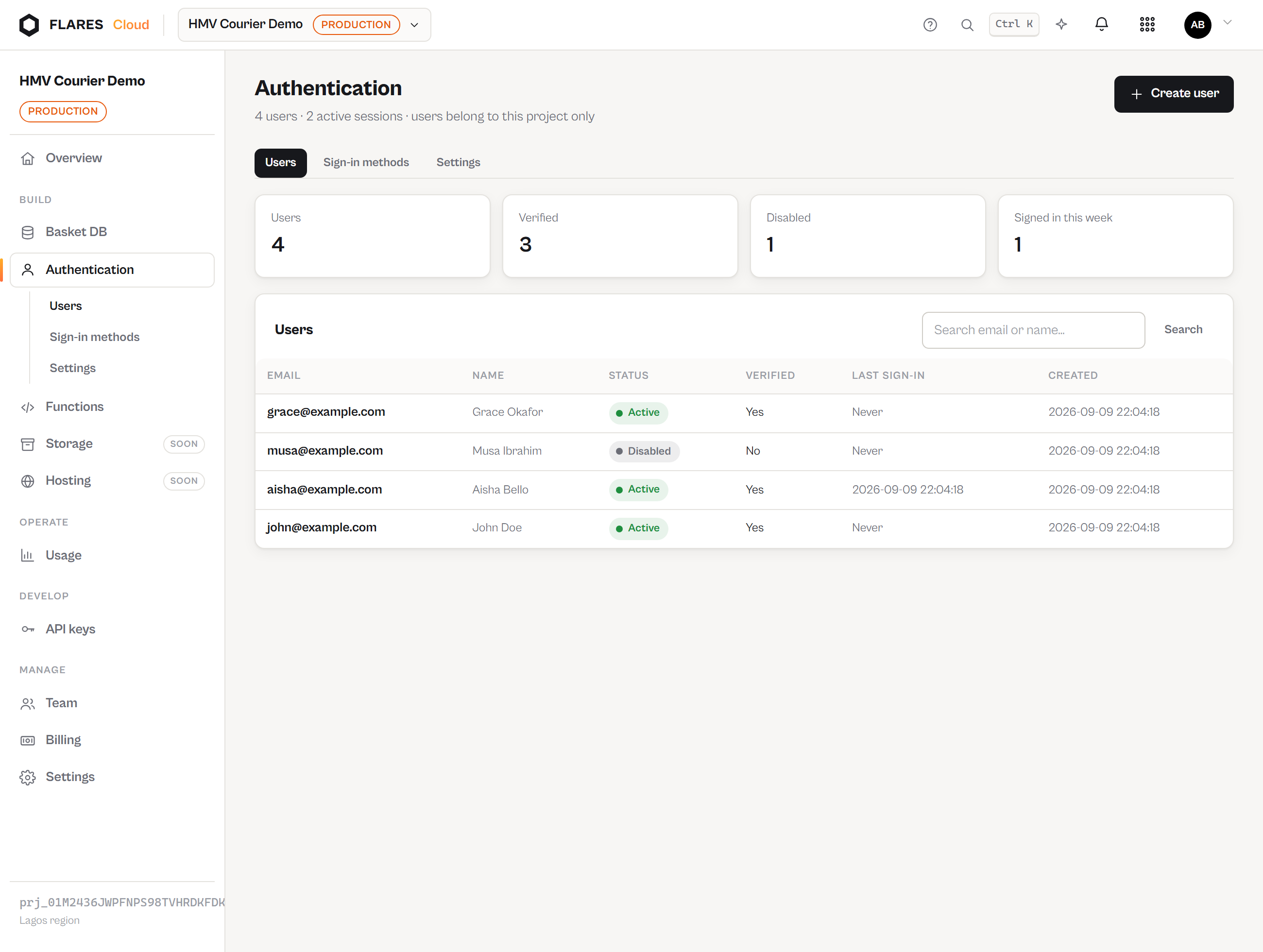
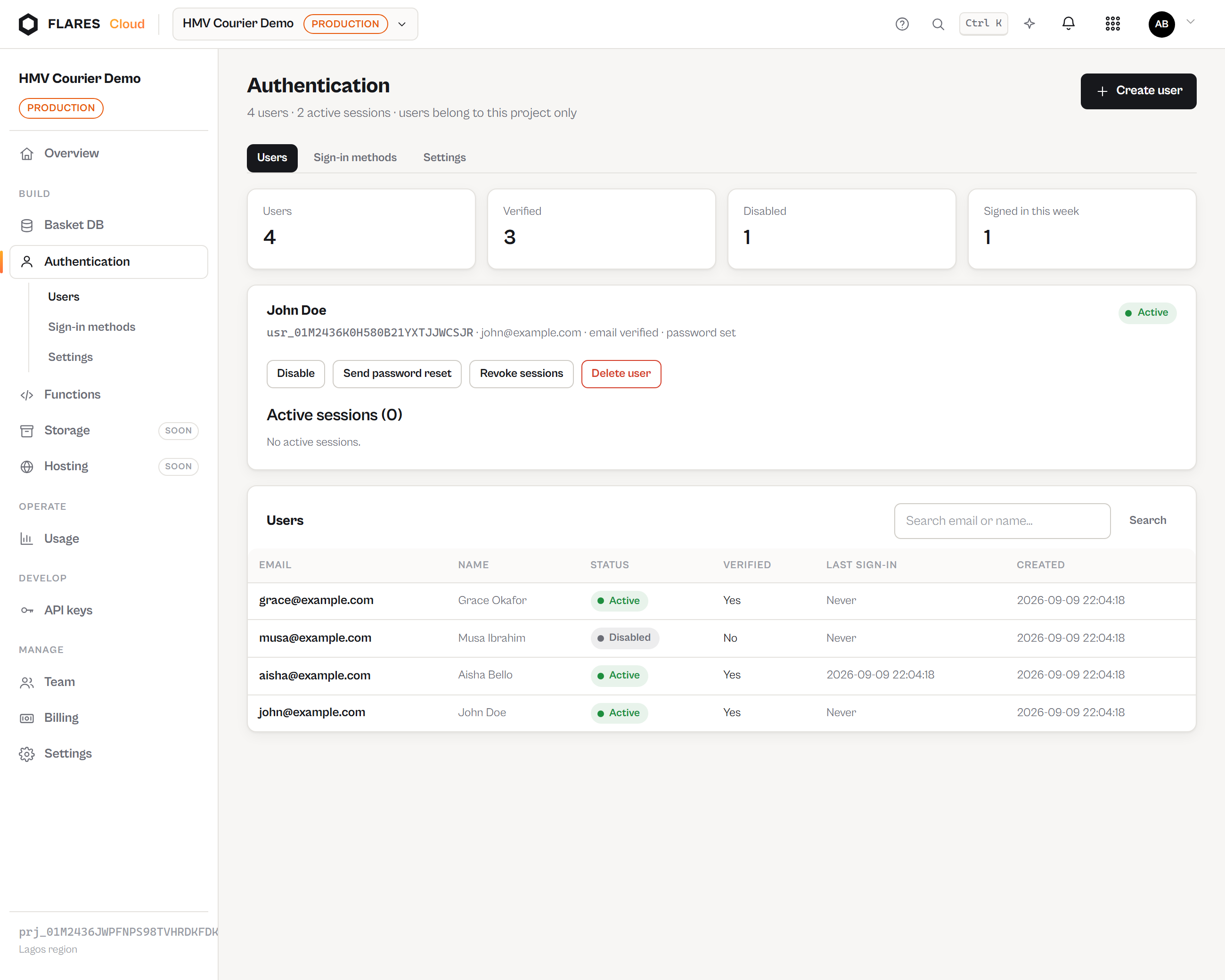
Auth → Users lists the pool with status, verification and last sign-in, and searches by email, display name or exact user id. Selecting a user opens their detail: their identity, their active sessions, and the actions available.
What you can do
| Action | Effect |
|---|---|
| Create user | Adds an identity — the same path your sign-up endpoint takes. Leave the password empty for a passwordless (OTP) account. |
| Disable | No new sessions, and every existing session is revoked immediately. Their access token stops resolving to a user. |
| Enable | They may sign in again. Old sessions stay revoked. |
| Send password reset | Emails a single-use link to your configured reset page. |
| Revoke sessions | Signs them out everywhere without disabling the account. |
| Delete | Removes the identity, its sessions and pending emails. Requires typing the email address. Records they created in Basket are your application's data and are untouched. |
There is no "show password" anywhere, for anyone — not for you, not for Flares staff. Passwords
are stored only as argon2id hashes and no code path returns them.
The same actions from a backend
Every action above has a secret-key endpoint, so your own admin tools can do it:
GET    /v1/projects/{project}/auth/users?search=aisha&limit=50
POST   /v1/projects/{project}/auth/users            {email, password?, display_name?, email_verified?}
PATCH  /v1/projects/{project}/auth/users/{user}     {status: "active"|"disabled"}
DELETE /v1/projects/{project}/auth/users/{user}
POST   /v1/projects/{project}/auth/users/{user}/revoke-sessions
POST   /v1/projects/{project}/auth/users/{user}/send-reset