Teams & roles
Inviting people, what each role may do, transferring ownership.
Roles are authorization, not labels
Every member holds one role on the project. What each may do is a fixed permission map:
| Role | May | May not |
|---|---|---|
| Owner | Everything, including deletion and transfer. | — |
| Admin | Run the project: services, team, keys; see billing. | Change the plan or pay; delete; transfer. |
| Developer | Build: Basket, Auth users, Functions, keys, backups. | Manage members or billing. |
| Billing | See usage, choose the plan, pay invoices. | See Basket data, Auth users, Functions or API keys — deliberately. |
| Viewer | Read across the project. | Change anything. |
Inviting someone
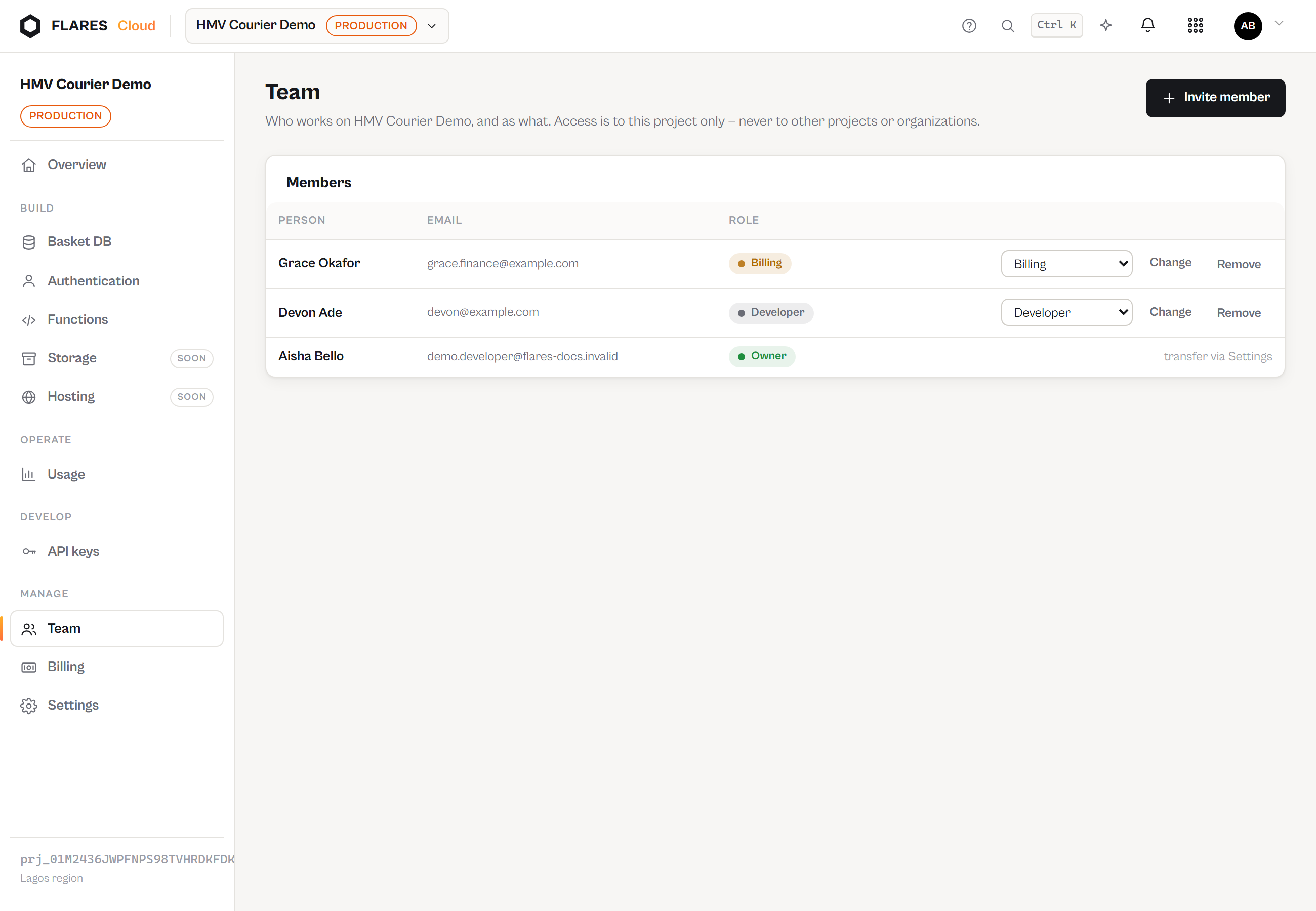
Team → Invite member sends an email with a single-use, expiring link. The invitee signs in with (or creates) their own Flares Account; accepting grants membership in this project only. Invitations can be revoked while pending; the link then dies.
Changing roles, removing members
Admins change roles and remove members from the same screen. Two protections are absolute: the last owner can never be demoted or removed, and ownership never moves by role-edit — only through transfer.
Transferring ownership
In Settings, the current owner picks a member and confirms by typing the project name. The previous owner becomes an admin; the audit log records the handover.