Deployments & rollback
Versioned deployments, zip bundles, Composer, build states, rollback.
Every deployment is a version
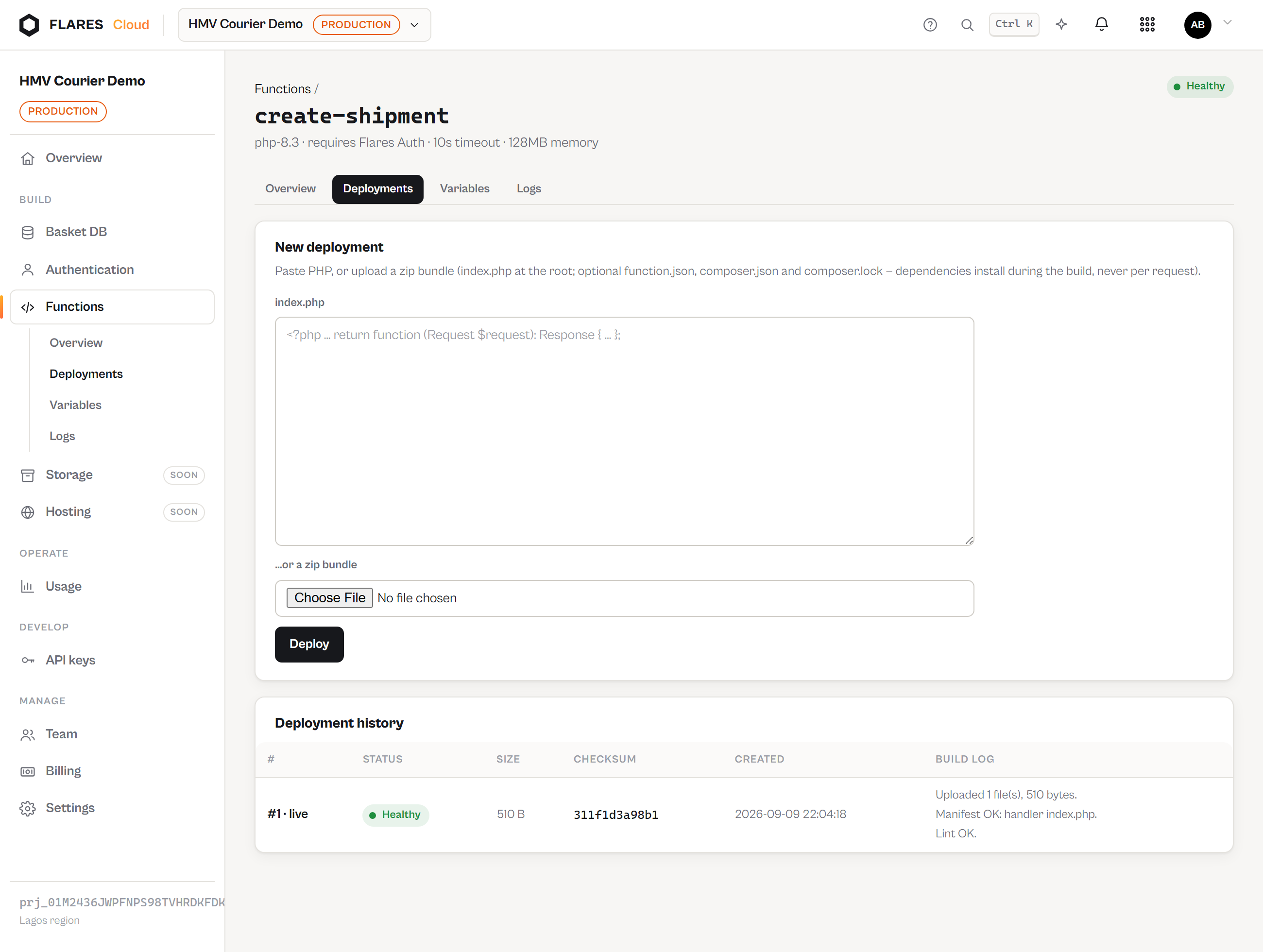
Deploying creates a numbered, immutable deployment. #1, #2, #3 — the bytes of a version never change after it ships, which is what makes rolling back to it mean something.
The pipeline, honestly
| State | What is happening |
|---|---|
| Uploading | Bundle validated (index.php present, paths safe, size and file count within limits) and written. |
| Building | Manifest read, PHP lint run, Composer dependencies installed if declared. |
| Deploying | Bundle checksummed and sealed. |
| Ready | Live. The endpoint serves this version. |
| Failed | Something above did not pass. The build log says what; the live version is untouched. |
These are the real states of the real pipeline. Nothing animates a fake progress bar.
Deploying inline or as a zip
The Deployments screen takes either pasted PHP (becomes index.php)
or a zip bundle. Archives are checked before a byte lands: absolute paths, ..
traversal and oversized archives are refused outright.
Composer
Include composer.json (and ideally composer.lock) and dependencies are
installed during the build — once, not per request. The install runs
--no-dev --no-scripts against your lock file, so deployments are deterministic. If
the install fails, the build fails with the tail of Composer's own output.
Rolling back
Roll back to this on any ready deployment repoints the endpoint at it immediately. No re-upload, no rebuild — the old bundle never went anywhere. Rolling back to a failed version, or to the one already live, is refused with a clear reason.
Checksums
Every ready deployment records a SHA-256 over its file tree, shown in the history. Two deployments with the same checksum contain byte-identical code.