Deploy from GitHub
Connect a repository, pick a branch and a directory, and every push deploys.
Connect a repository once. After that, git push is the deploy button: Flares builds
the exact commit you pushed, and swaps production to it only if the build succeeds.
you push a commit
      ↓
GitHub tells Flares
      ↓
Flares builds THAT commit
      ↓
build succeeds → it becomes live
build fails    → the previous version keeps serving
Connect a repository
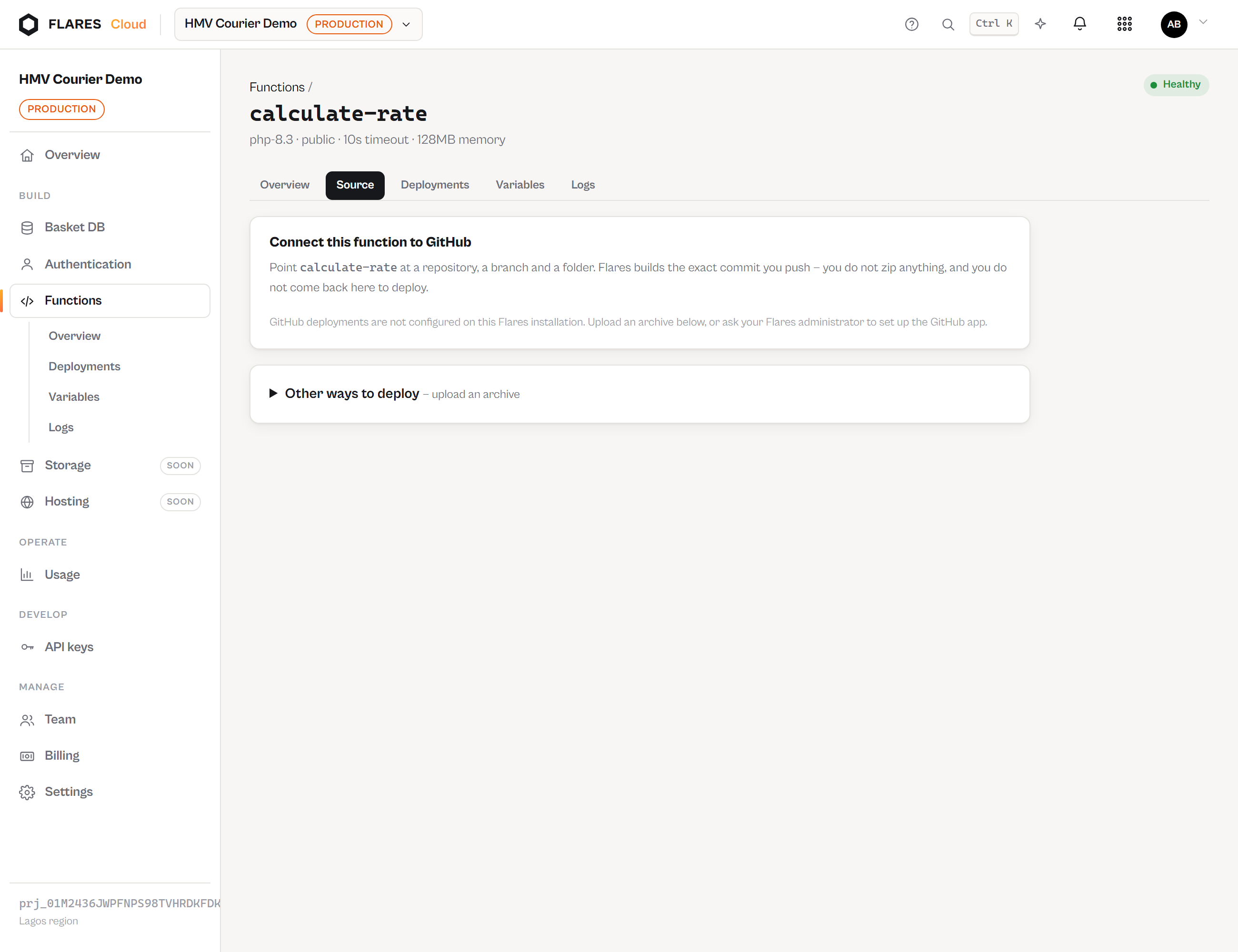
- Open your function and go to Source.
- Press Connect GitHub and install the Flares app on your account or organisation.
- Choose which repositories it may read. Flares asks for read access only — it never writes to your code.
- Pick the repository, the branch, and the folder your function lives in.
When you finish installing, GitHub tells Flares who you are, and Flares checks with GitHub that the installation really is yours before connecting it. That is why the install step asks you to authorise as well: an installation is only ever attached to the account that holds it, never to whoever names its number.
Monorepos
One repository can hold every function you have. The root directory is what separates them:
company-backend/
├── composer.json
├── shared/
└── functions/
    ├── create-shipment/     ← root directory for one function
    │   └── index.php
    ├── calculate-rate/      ← root directory for another
    │   └── index.php
    └── payment-webhook/
Three functions, one repository, one branch, three root directories. Each build takes only its own folder — a function cannot see its neighbours' code, and cannot be deployed from the wrong directory. Forty functions do not need forty repositories.
Auto-deploy
On by default for the branch you choose. When someone pushes to it, GitHub notifies Flares, Flares verifies the signature, finds every function configured for that repository and branch, and builds each one from the pushed commit.
| What happened | What Flares does |
|---|---|
| Push to your configured branch | Builds and, on success, deploys. |
| Push to any other branch | Nothing. Recorded as ignored. |
| The same delivery arrives twice | Nothing the second time — one push is one deployment. |
| Two pushes seconds apart | The later commit ends up live, whichever build finishes first. |
| A branch is deleted | Nothing is built. What is deployed keeps serving. |
Turn it off on the Source screen to deploy only by hand.
Deploying by hand
Deploy latest builds the head of your branch. Below it, recent commits each have their own Deploy — useful when you want a specific commit in production rather than whatever is newest.
A failed build cannot take you down
This is the property worth trusting. A deployment becomes live only after its artifact exists and validates. Until then the previous one is serving, and it keeps serving if the new build fails.
Production   #17  71bc912  Active
Latest       #18  a71c9ef  Failed — PHP lint failed: syntax error, unexpected '{'
Your endpoint answered every request throughout. Deployments & rollback →
Build logs
Commit a71c9ef on main
Message: Fix shipment validation
Fetching HMV-INTERNET-SERVICES/hmv-courier at a71c9ef…
Downloaded 48,210 bytes.
Root directory functions/create-shipment.
Manifest OK: handler index.php.
Lint OK.
Composer dependencies installed (locked).
Deployment #18 is live.
Secret variable values never appear in a build log.
Composer
If your function's directory contains composer.json, dependencies are installed
during the build — once, not per request — using your composer.lock when you commit
one. --no-dev --no-scripts, so a deployment cannot run arbitrary build code.
Secrets stay in Flares
getenv(). A key committed to Git is a key in your history, your CI, and every clone.
Changing a variable takes effect on the next invocation — each one is a fresh process, so there is no redeploy and no restart.
Private repositories
Supported through the app installation. Public repositories can be connected without installing anything, and Flares confirms with GitHub that a repository really is public before treating it that way.
When GitHub access goes away
| If… | Your deployed function | New deployments |
|---|---|---|
| You uninstall the Flares app | Keeps serving | Paused, with the reason shown |
| The repository is deleted | Keeps serving | Blocked |
| The branch is deleted | Keeps serving | Blocked until you pick another branch |
| Access is narrowed on GitHub | Keeps serving | Blocked |
Flares keeps its own copy of every artifact it built. GitHub is where future deployments come from — never something reached during a request.
Troubleshooting
| Message | What it means |
|---|---|
| The directory "…" does not exist in … at commit … | Your root directory does not match the repository at that commit. Check the folder name and the branch. |
| A function bundle needs an index.php at its root | The directory exists but has no handler in it. |
| Flares cannot see owner/repo | The app has not been granted that repository. Add it in the GitHub app's settings. |
| PHP lint failed | The commit does not parse. The previous deployment is still live. |
| Auto-deploy did not fire | Check the branch matches, that auto-deploy is on, and that the GitHub connection is healthy — the Source screen shows the last event received. |
Disconnecting
Disconnect on the Source screen stops future deployments from GitHub. The version currently deployed keeps serving, and you can upload an archive instead.
Uploading instead
Archive upload still works and existing functions deployed that way keep running. It is the secondary path: you repeat it by hand every time your code changes, which is the thing connecting a repository removes.